PR Tests
Automated Tests
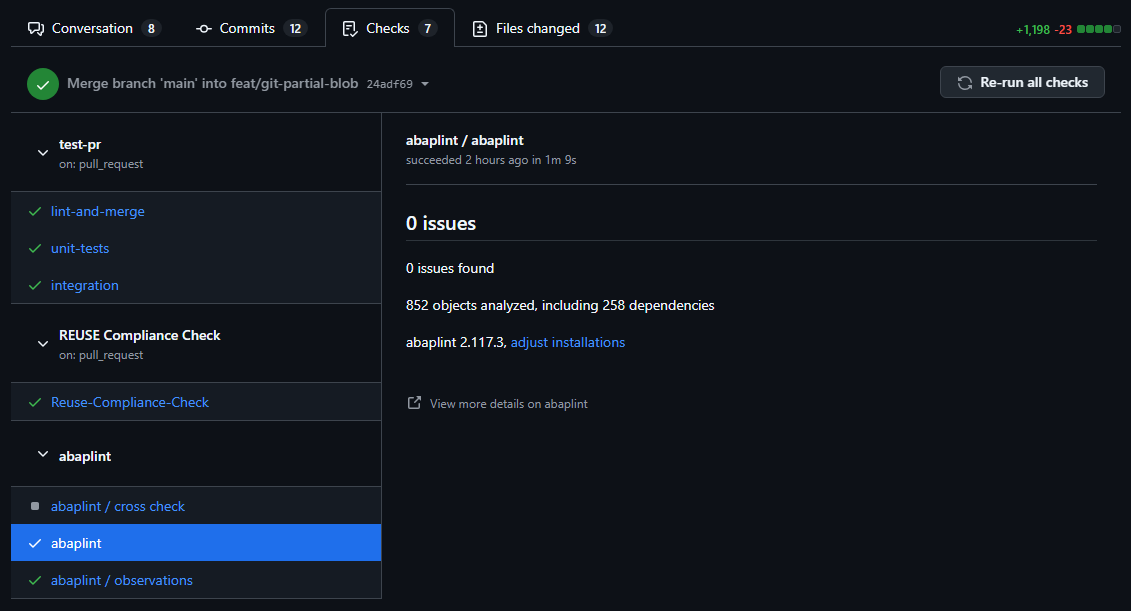
For every pull request, a collection of automated checks will run. The checks are grouped into
- abaplint
linting (mandatory to pass)
Checks code syntax, stylings, and guidelines using abaplint rules.
cross-check
Determines impact of abapGit changes on other repositories.
observations
Reports of newly introduced dependencies (like data elements or interfaces).
- Tests
unit tests (mandatory to pass)
Runs the majority of unit tests via GitHub action.
lint and merge (mandatory to pass)
Lints JavaScript and merges files into standalone version.
intergration (mandatory to pass)
Runs integration test with Gitea.
- Compliance check
Checks that every file in the repository is associated with a license.
Example for successful run passing all checks and tests:
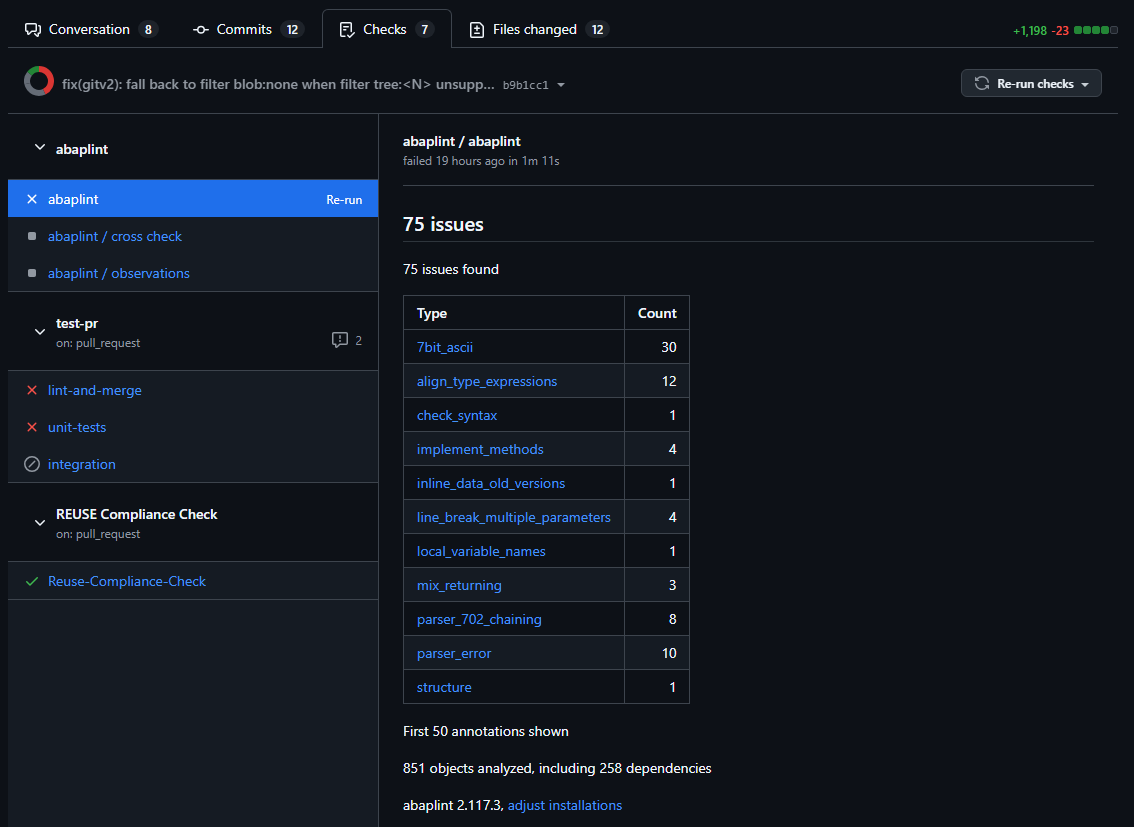
Example of run with abaplint issues and failing tests:
Manual Tests
In order to test a pull request (PR) for abapGit, you should follow these steps.
Using standalone version
For every pull request (commit) that passes automated tests, a version of the standalone program is generated which includes the changes of the pull request.
- Download the PR standalone version of abapGit
You can download this program (GitHub action artifact) from the pull request on GitHub. On the Checks tab of the pulll request, select the summary view of the test-pr action.
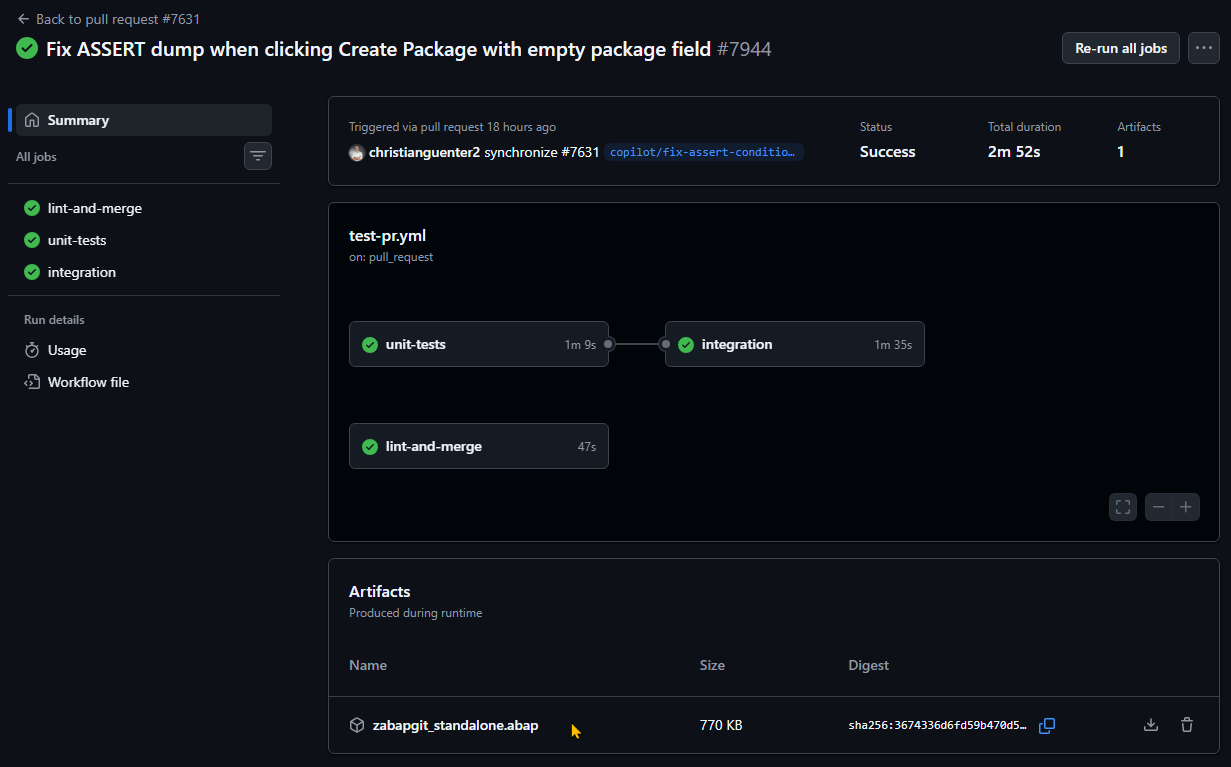
Info
The artifact is retained for 7 days after the action run. If the artifact is not available anymore, commit a change to trigger the action again.
- Install the PR standalone
Create a program zabapgit_standalone_pr_xxxx (xxxx = number of the pull request) and upload the code.
- Test changes
Now you can test the fixed functionality or new feature of the pull request.
- Clean-up
After testing, you should delete zabapgit_standalone_pr_xxxx.
Using developer version
If you require, for example, debugging or exection of user exits, then it's better to test with the developer version of abapGit:
- Install the latest developer version of abapGit
This means pulling the main branch of https://github.com/abapGit/abapGit into your test system (with no diffs afterwards).
- Change repository settings to the PR
Go to the repository settings, remote settings. Then under Head > Type, select "Pull request". Pick the PR you want to test and save.
- Pull changes of PR
When you return to the package view, you will see diffs for all the changes included in the PR. Pull the changes and restart abapGit.
- Test changes
Now you can test the fixed functionality or new feature of the pull request.
- Revert to main
When done with testing, select the main branch and pull it into your system again.
PS: If pulling fails because abapGit is trying to change itself, please use the abapGit standalone version to perform the pulls.
Troubleshooting
The most frequent issues are related to code syntax and styling. These are caught by abaplint and easily fixed. Please review the Contribution and Development Guidelines. If you are stuck, leave a comment in the pull request or get help via the abapGit slack.